Data Extractor
Extract emails, URLs or data from websites or files
Data Extractor
Do you have a group of files that contains important data that you can't get to?
Using Data Extractor you can simply extract any information from any files on
your computer or from html web pages.
The Data Extractor allows website screen scraping to
simply extract email addresses or URLs, or
extract your own information using advanced techniques.
Features of the powerful web and file screen scraper

Version 3.3 is now available, with the following features:
-
Easily extract Email addresses or URLS from text files or the web
-
Extract as you surf pages using Internet Explorer
-
Automatically follow links to extract from entire domains
-
Extract whatever you want from webpages with our NEW powerful javascript enabled rules
-
Search multiple files, URLs and directories
-
Drag and drop files for extraction
-
Export results directly to Microsoft Excel
-
Use fuzzy matching to find information when you're unsure of exact data
-
Specify wildcards or use advanced regular expressions to match any pattern
-
Copy, Save and Print at the touch of a button
-
Use the feature-limited trial version for an unlimited time
Data Extractor runs on all Windows systems: Windows 98, 2000, Me, NT, XP, Vista, 7, 8, after
downloading
unzip the file
and double click the DataExtractor.exe file to install.
- You may download the feature limited trial, and evaluate the software for as long as you need
- Single User license is only $29.50
- We offer a risk free 30 day money back guarantee
For full details we recommend that you download the software and try it out, and also read along with our
online help.
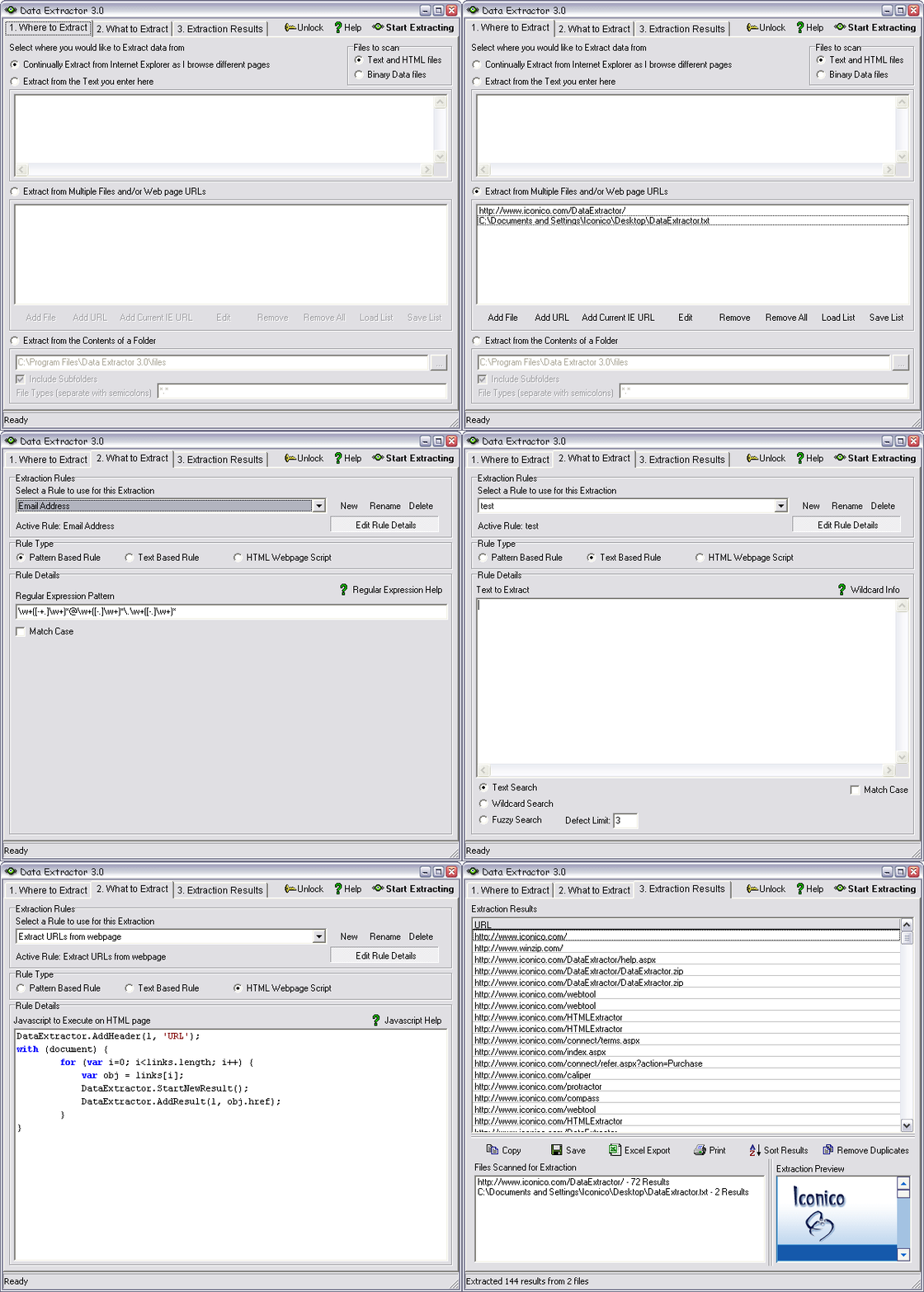
Screenshot
Below is a screenshot of the Data Extractor Application in use.
For full details we recommend that you download the software and try it out, and also read along with our
online help.
Extracting From Emails
If you need to extract email addresses, or any other data from a group of emails
that you have in Outlook, Outlook Express or any other email client then do the following:
- Drag the emails that you want to extract from into a folder on your desktop
- Open Data Extractor and choose the folder where you saved your emails
- Choose to extract 'Email Addresses' or your own data rule
- Start Extracting